Technical SEO Checklist in 2026
The blog provides a comprehensive technical SEO checklist to improve site performance and search visibility. It covers ensuring crawlability and indexing, fixing site structure and internal links, improving Core Web Vitals (speed/UX), mobile‑first optimisation, HTTPS security, structured data/schema, handling redirects and broken links, optimising for AI/voice search, and automating ongoing monitoring - all essential for better rankings and user experience.
- What is Technical SEO and Why Is It Important in 2026?
- Pre-Audit Setup: Must-Have Tools
- Make sure that crawling and indexing are possible
- Fix the structure of the site and the links between pages
- Use Core to Improve Performance Web Vitals
- Master Mobile-First Indexing
- Use HTTPS to protect your site
- Use Schema Markup to Get More Results
- Optimise for Voice Search & AI SERPs
- Handle Redirects, 404s, & Broken Links
- Use Hreflang to go global
- SEO using JavaScript and PWAs
- Automate Technical SEO Monitoring
- Compliance with WCAG and Accessibility
- Conclusion and a checklist you can download
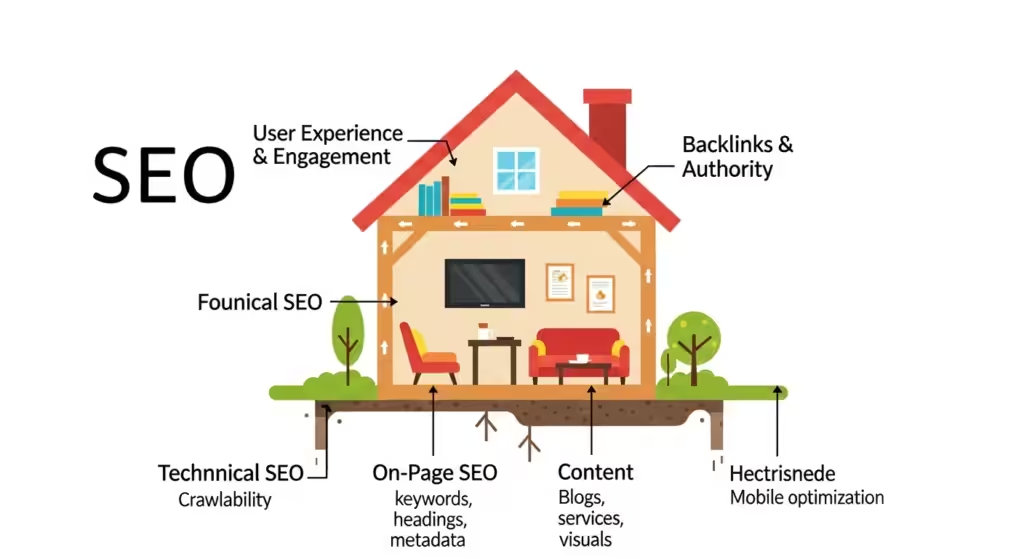
In 2026, technical SEO will be the most important part of a website that works well. Technical SEO makes sure that your site is crawlable, quick, and ready for AI-powered search, just like a strong foundation supports a house. I just helped a London bakery whose blog was hard to find because of broken links and a robots.txt file that wasn’t set up correctly. We were able to greatly improve their ranks by addressing these. This checklist improves on my proven methods by incorporating sophisticated technologies, automation, and accessibility to keep your site ahead of the changing SERPs in 2026.
What is Technical SEO and Why Is It Important in 2026?
Think about how frustrating it would be to make a great website just to have Google skip it because of crawl issues or slow load times. Technical SEO will be very important in 2026 because SERPs will change with AI-first crawling and tougher Core Web Vitals. I worked with a UK fashion store that lost 20% of their traffic since certain of their pages weren’t indexed. Bad technical SEO can hurt your ranks, lower your click-through rate, and make users angry. Important numbers: 53% of people leave sites that take more than 3 seconds to load, and 88% of searches now show results that are powered by AI. Let’s strengthen the base of your site. Read on for measures you can take right away, or check out our technical SEO services in the UK.
Pre-Audit Setup: Must-Have Tools
You wouldn’t fix up a house without tools, and the same goes for technical SEO. For 2026, this is my go-to stack with automation to save time.
Must-Have Tools
- Google Search Console (GSC): Quickly finds crawl faults and problems with indexing.
- GA4: Looks at how users act to find performance gaps.
- Screaming Frog: Crawls your site to detect broken links and problems with the way it is set up.
- Sitebulb: Shows you how healthy and crawlable your site is visually.
- Ahrefs/SEMrush: Analyzes keywords, backlinks, and competitors.
- Ahrefs and SEMrush: Look at keywords, backlinks, and your competition.
Bonus: Looker Studio + PSI CLI: Automate GSC, GA4, and PSI data into dashboards for real-time monitoring.
Automation Tip: Connect Looker Studio to GSC/GA4 to keep an eye on indexing and performance trends. Scheduled Core Web Vitals reports can be made with PSI CLI. Look at our list of SEO tools.
Make sure that crawling and indexing are possible
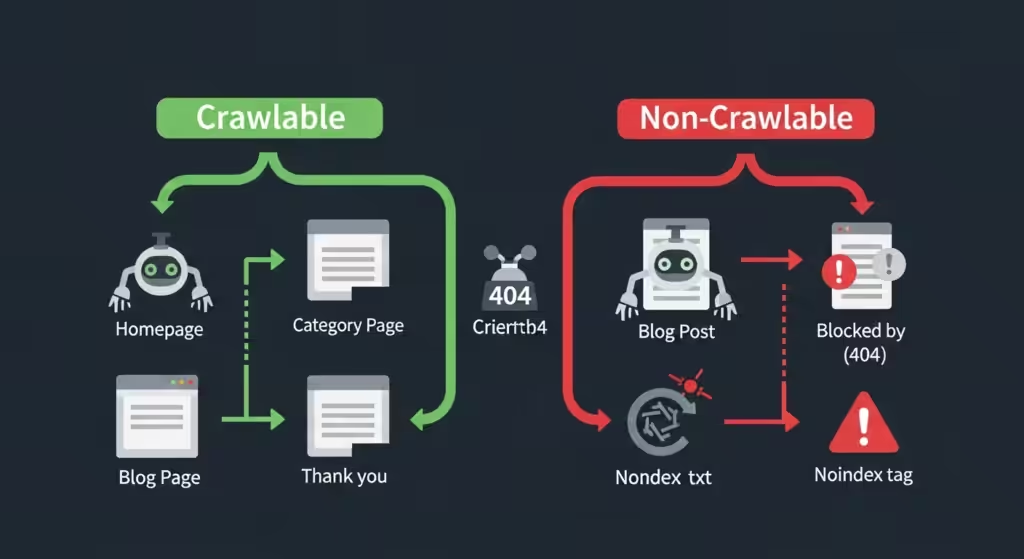
You might think of Google’s bot as a librarian who organises your site. Pages that are broken or hidden won’t be accepted. Because of redirect problems, 20% of the product pages on a UK fashion store I looked at were not indexed. This is how to make sure Google finds your site.
Key Technical Parts
- XML Sitemap: Tells Google which pages are most important. Send in via GSC.
- Robots.txt: Tells bots what to crawl. Don’t block important pages.
- Canonical Tags: Point to the “main” page to stop duplicating material.
- XML Sitemap: Tells Google which pages are most important. Send in via GSC.
- Optimising Your Crawl Budget: To preserve Google’s crawling resources, don’t use too many redirects or thin content.
- The URL Inspection Tool (GSC): Checks to see if pages are indexed.
Errors to Fix
- 404s: Broken pages frustrate users and bots.
- Redirect Chains: Multiple redirects slow crawling.
- Orphan Pages: Pages without internal links are invisible to Google.
Pro Tip: Use Screaming Frog to find orphan pages and submit an updated XML sitemap via GSC. See sitemap guide.
Fix the structure of the site and the links between pages
A site that is well-organised is like a clean library—easy for people and Google to find their way around. Adding breadcrumbs to a UK travel blog made people stay on the site for 40% longer.
Maintain a clear order
- Structure of the Silo: Put similar information together so it’s easier to find (for example, /blog/seo/technical).
- Linking pages: That are connected to each other can help with navigation.
- Content with page numbers: For series pages, use rel=”next” and rel=”prev.”
Fix Orphan Pages & Dead Ends
Use Screaming Frog to locate pages that don’t have any internal links and link them to information that is related.
Use Breadcrumb Navigation
Breadcrumbs (like Home > Blog > Article) make the structure clearer for both users and Google.
Use Core to Improve Performance Web Vitals
Site speed is a factor that affects rankings and might ruin the user experience. I helped a restaurant in London lower its Largest Contentful Paint (LCP) from 4.8 to 2.2 seconds, which led to a 15% increase in online orders.
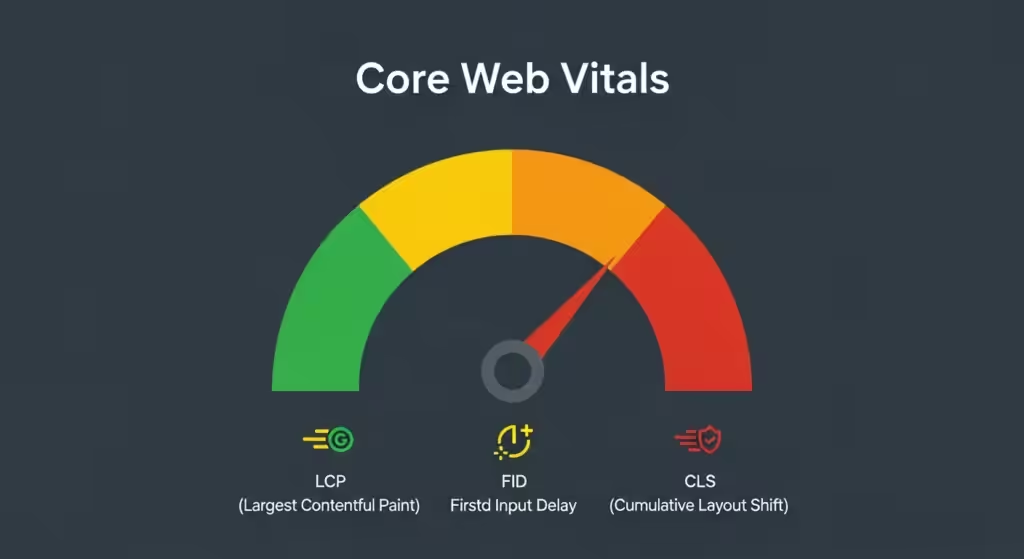
What Are the Most Important Web Vitals?
- LCP, or Largest Contentful Paint: Is the time it takes for the main material to load (less than 2.5 seconds is ideal).
- Interaction to Next Paint (INP): Click response time (goal: less than 200 ms; new in 2026).
- Cumulative Layout Shift (CLS): The layout stays stable when loading (<0.1).
Tips for speeding up your computer
- Compress Images: Make files smaller without losing quality.
- Lazy Load Assets: Only load photos and videos when you need them.
- Use a CDN: To speed up the delivery of material around the world.
- Advanced: Preload pages for instant loading with Signed Exchanges (SXG).
- HTTP/3: Is a faster protocol for newer browsers.
Tools: Check with PSI and Lighthouse. To fix LCP, optimise images; to fix INP, use efficient JavaScript; and to fix CLS, use stable layouts.
Master Mobile-First Indexing
Google puts your mobile site first, therefore it needs to be great. The client’s desktop site was fine, but their mobile site had small buttons and took a long time to load, which cost them 50% of their visitors.

Why Mobile-First Indexing Is Important
Make sure your mobile site is responsive and loads quickly because Google indexes it first.
Mobile UX Design Tips
- Big buttons: Are easy to tap on small screens.
- Short paragraphs: Make it easy to scan the material.
- Don’t utilise popups: They annoy mobile users.
Tools for Testing: To assess how responsive and easy to tap your site is, use Google’s Mobile-Friendly Test and Lighthouse.
Tip: Test on real devices, optimize font sizes (>16px), and ensure tap targets are 48px+ for better UX.
Use HTTPS to protect your site
There is no way around HTTPS. The client’s e-commerce site didn’t have SSL, and Chrome’s “Not Secure” warning scared away customers.
What HTTPS is and why it matters
It protects users, avoids browser warnings, and boosts rankings.
Steps to Install SSL
- Get and install an SSL certificate.
- Redirect HTTP to HTTPS.
- Fix mixed content (e.g., non-secure images).
Bonus: Update plugins/themes to close security gaps and check Google’s Safe Browsing status.
Use Schema Markup to Get More Results
Schema markup makes your content clearer for Google, like a neon sign. Adding FAQ schema to a client’s blog increased clicks by 10%.
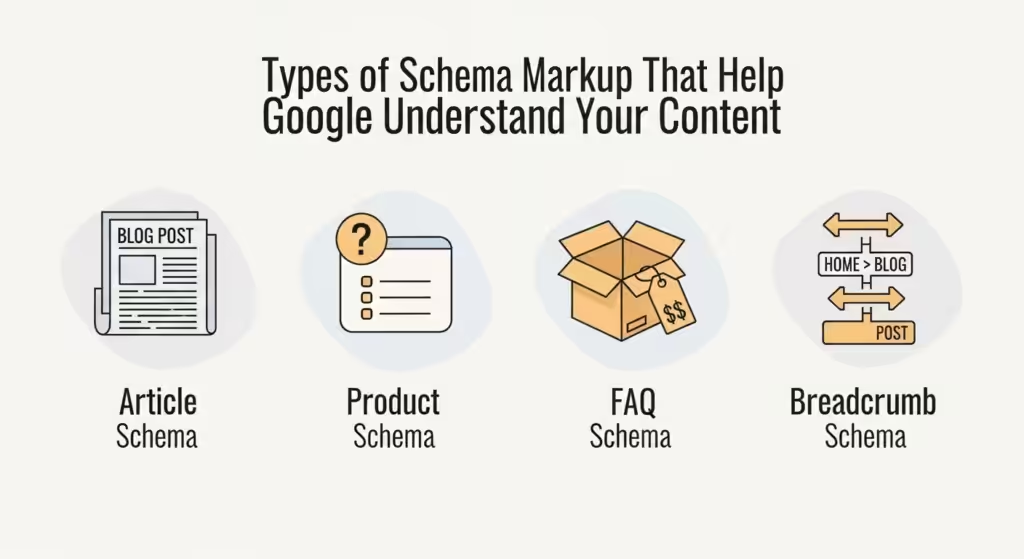
Recommended Schema Types
- Article: Enhances blog posts in search.
- Product: Shows prices and availability.
- FAQ: Displays questions in snippets.
- LocalBusiness: Boosts local SEO.
- Review: Highlights star ratings.
How to Add & Test
- Use JSON-LD for easy implementation.
- Test with Google’s Rich Results Test.
Optimise for Voice Search & AI SERPs
AI assistants like ChatGPT and Gemini favor fast, structured sites. I optimized a client’s blog with FAQ schema, landing them in voice search results.
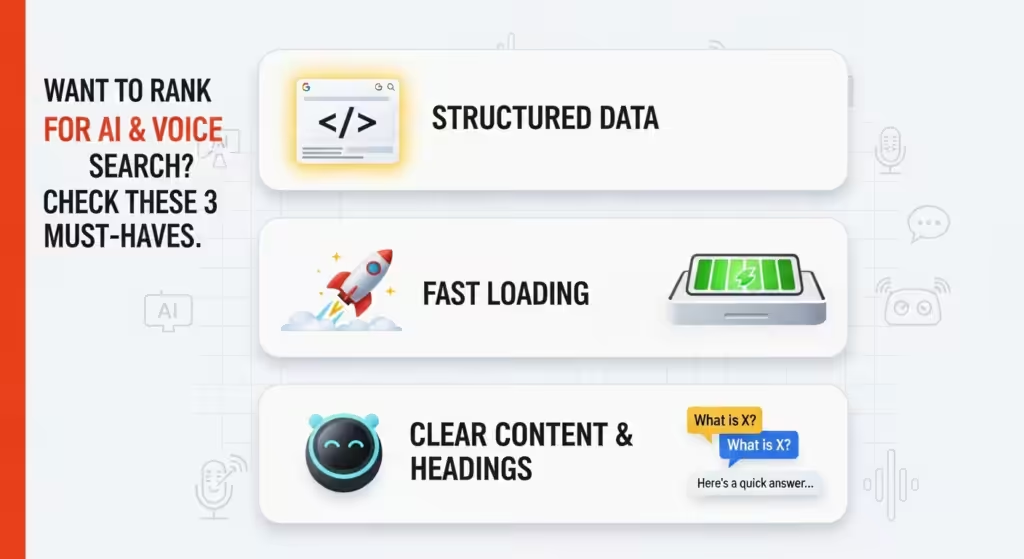
How AI Search Engines Read Your Site
AI loves structured data, clear headings, and FAQ-like content for quick answers.
Tips to Optimize
Add schema for articles and FAQs.
Use descriptive H2/H3 headings.
Write concise, conversational answers for People Also Ask (PAA) and featured snippets.
Prep for Answer Engines (e.g., Perplexity) with clear, factual content.
Pro Tip: Target long-tail, question-based queries (e.g., “What is technical SEO in 2026?”).
Handle Redirects, 404s, & Broken Links
Technical SEO isn’t “set it and forget it.” A UK retailer ignored a redirect loop and lost 20% of organic traffic.
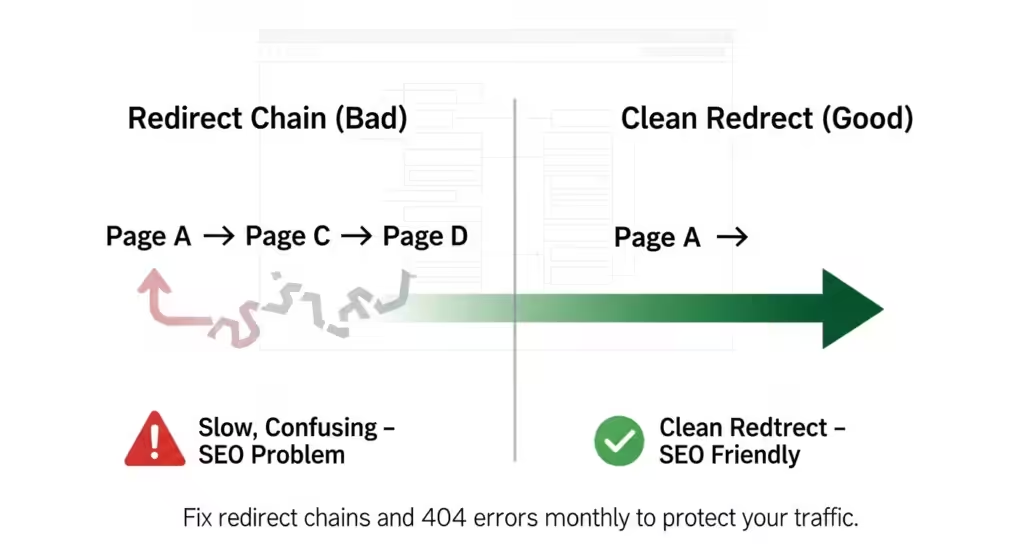
Common Issues
- Broken Links: Frustrate users and bots.
- Redirect Loops: Slow crawling.
- Old URLs: Cause 404s or irrelevant content.
Fixes
- Use 301 redirects for permanent moves, 302 for temporary.
- Scan with Screaming Frog or Ahrefs to catch issues.
- Monitor GSC for crawl errors.
Tip: Schedule monthly audits with our SEO audit guide.
Use Hreflang to go global
Hreflang tags guarantee that Google shows the proper content on sites that are multilingual or serve more than one location (like the UK and Germany). I helped a UK business grow in Germany without any problems with the content.
How Hreflang Works
Matches content to the correct language/region.
Common Mistakes
- Incorrect language/country codes.
- Missing return tags.
- No self-referencing hreflang.
Tip: Integrate hreflang in XML sitemaps for scalability. Skip if you’re UK-only.
SEO using JavaScript and PWAs
JavaScript-heavy sites and Progressive Web Apps (PWAs) are common but hard for SEO.
Important Things to Think About
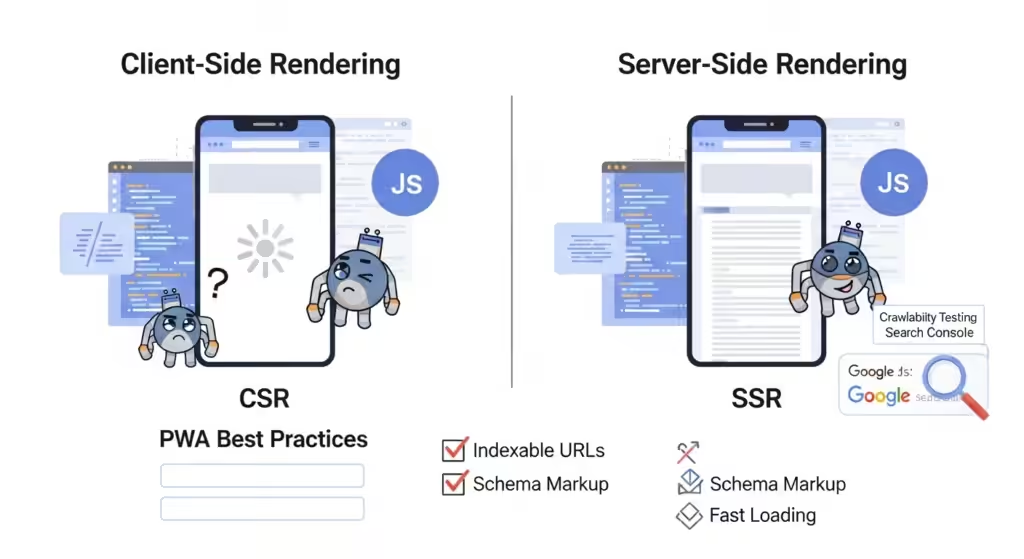
Key Considerations
- Rendering JS: Google renders JS but may delay crawling. Use Server-Side Rendering (SSR) over Client-Side Rendering (CSR).
- PWAs: Ensure SEO compliance with indexable URLs and schema.
- Crawlability: Test with GSC’s URL Inspection Tool to confirm Google sees your JS content.
Tip: Use dynamic rendering for JS-heavy sites to serve pre-rendered HTML to bots.
Automate Technical SEO Monitoring
Manual audits are time-consuming. Automate to stay proactive.
Setup
- GA4 + GSC + PSI + Looker Studio: Build dashboards for indexing, speed, and user behavior.
- Scheduled Crawls: Use Screaming Frog or Sitebulb for weekly reports.
- Alerts: Set GSC notifications for crawl errors or security issues.
Compliance with WCAG and Accessibility
Making your site easier to use and find helps with SEO. Making sure your site meets WCAG standards means that everyone can use it, even people who use screen readers.
How Accessibility Helps SEO
- Improves user experience, reducing bounce rates.
- Enhances crawlability with clear HTML structure.
Common WCAG Fixes
- Add alt text to images.
- Ensure keyboard navigation.
- Use high-contrast colors and readable fonts (>16px).
Tip: Test with WAVE or Lighthouse’s accessibility audit.
Conclusion and a checklist you can download
In 2026, technical SEO is all about how fast your site loads, how easy it is to crawl, and how ready it is for AI. I’ve seen businesses go up the rankings by correcting only one problem, like 404s or delayed LCP. Today, pick one thing from this list to do. Need help? You may either book a technical SEO audit with our London team or receive our free Technical SEO Checklist.

Ready to Transform Your B2B Marketing Strategy?
Get a comprehensive SEO audit and discover how to drive more qualified leads to your business.
Get a Free SEO Audit